Author: Steve Haar

  • Do you really need to worry about being deindexed by Google?

    Do you really need to worry about being deindexed by Google?

    Short answer, not if you’re honest.

    Take a look at the Search Engine Journal article “20 Ways to Get De-Indexed by Google”. While there are some technical issues on the list, like a poorly set up robots.txt file, most activities just go against the grain of people who are trying to create a good website.

    2 key activities for being indexed

    The most often shared recommendation for creating a website that Google will index, and hopefully rank, is to create content that people will find useful. This means it is decently written (no Shakespear required), well organized, and focused. The content should be clearly related to the topic, be unique, and be engaging so users read it rather than bounce off the page.

    The next most often shared SEO recommendation is to have a good page structure. Provide a proper title and h tag content. We tell clients to think of an outline like they had to write in grammar school before they wrote an essay. A good h tag structure is like that outline. The topics of the page are arranged in a logical order, with subtopics (h2,h3 tags.) A well-structured page makes it easier for search engines to understand what the content is, and it helps readers as well.

    Focus time on Legit SEO activities

    If you’re like most website owners, trying to create and structure quality content takes a great deal of time and effort. If you know your topic well, it may take a little less time, but not by much. Even if you can pump out decent content in short order,  do you really have time to do the 20 things that will get your site de-indexed by Google?

    There are always ways to improve any site. We don’t get to them because we spend time on other things related to the business. If you have time to engage in poor SEO practices, then you also have time to engage in good SEO practices to make your site better. Rather than waste time with blackhat techniques that will ultimately bit you in the rear, learn how to perform whitehat techniques better.

  • Why do we need server-side tracking for Google Analytics?

    Why do we need server-side tracking for Google Analytics?

    Before we jump into server-side tracking for analytics it is important to understand the state of website tracking up to this point. For simplicity, we are going to use Google Analytics as the tracking tool for this discussion. But, the same ideas apply to virtually every analytics and user tracking tool out there.

    How site tracking has worked – client-side

    Google Analytics tracking code is a bit of javascript that a website adds to the code that is pushed out to the browsers when a page is loaded. Once a page is loaded, several things can happen and all of them are controlled in the browser. This is also referred to as client-side. 

    The tracking code will often tell the browser to create a cookie that is saved to the user’s device. These cookies contain information about the session and browsing activity. No PII is stored, but behaviors and non-identifiable information can be stored. When the user revisits a site or visits other pages on the site, the javascript will access the cookie, retrieve some information from it, and often combine it with the current page load data, then send it to the server. In this case, Google Analytics.

    What’s important about this transaction is that the entire process is being controlled by Google Analytics, not the website itself. This is known as a 3rd party cookie. 

    The javascript sends a unique id (stored in the cookie) and the current page being visited to Google Analytics. In the reporting, this shows up as a “page visit.” 

    What is changing? 3rd Party Cookies Being Blocked.

    Because of security concerns, browser developers (Apple with Safari, Google with Chrome, and others) have either already or are in the process of restricting 3rd party cookies. While the well-known and reputable players can be trusted to use the 3rd party cookie tech properly, this does expose users to unscrupulous players as well. Within a year or so (the actual dates get changed), we expect the majority of browsers to block third-party cookies completely.

    How can Analytics Continue? Server Side Tracking with APIs.

    Analytics applications like Google, Facebook, and others have released Server-Side APIs to let site owners send information directly from their servers to the application’s server. This is more complicated to implement than a simple bit of javascript code, but it is the only way to track activity without exposing users to the security risks associated with client-side (browser) tracking technologies.

    What to do with Google Analytics now.

    There are several steps to take now to be ready for the ultimate shut down of 3rd party cookies.

    • Add Google Analytics G4 to your site. It is quite different from Universal, so getting it setup, even with client side tracking for now, will help you get used to it before it is required. Universal Analytics will lack support eventually, so moving to the new versions gets you ahead of the curve.
    • Meet with your Dev team ASAP and audit what client side tracking you are doing. In addition to Google Analytics, virtually all ad platforms use js code to track users and report metrics back to their platforms. Getting a full scope of these is critical.
    • Plan the priority for migrating from client side to server-side tracking. If you’re like many organizations, there is more work than resources. You’ll want to be sure the must haves are on the top of your list.
    • Shoot for early implementation on the most critical tools. For the majority of sites, Google Analytics will be high on the list.

    While the heavy lifting will have to be done by the dev team, read enough about Google Analytics to understand the scope and options. GA will have the ability to use Google Tag Manager. Knowing how this can be used for what you need to track can give you more control and alleviate some of the burdens on the dev team.

    The technology for tracking is changing. 3rd Party Cookies are being phased out. Start planning for Server-Side tracking technology now to be sure you are not caught off guard in a year or so when browsers like Chrome completely block the 3rd party cookies.

  • Google Algorithm Update

    Google Algorithm Update

    Ever since the Google Penguin 4 update in 2016, the sites stopped being ‘penalized’ for spammy link profiles. Too many sites that were not actively creating spam links got caught up in the penalty box. But that is not to say site owners don’t quake a bit when there is a new update.

    Now that another update has been released that specifically targets spam links, webmasters are gearing up for swings in their rankings. The announcement was at the bottom of Google’s article about the release telling people to keep it clean. 

    Even with clean link-building efforts, Google’s release can wreak havoc on rankings. While there is not a penalty for a bad link profile, having links suddenly stop counting will change the rankings.

    The best defense is to continue developing partnerships, create and disseminate content that can garner links from other sites. This is so simple, but core to building up a site’s rankings.

  • Is your SEO Agency Asleep On The Job

    Is your SEO Agency Asleep On The Job

    Veterans of the SEO industry have seen a lot. When we take over an account, we always see things that we would do that the prior SEO agency didn’t do. In all likelihood, when we lose an account, the new agency will say the same about our work.

    It is normal for agencies to take different approaches to SEO. Thus, it’s not really fair to say that someone wasn’t doing their job just because they do it differently. And sometimes it takes a new perspective to help give a site a boost, tackling the problem from a different angle. Again, this is normal in SEO work.

    But, what if it is simply a case of the SEO agency (or employee) not doing their job? This is much different than just having a different approach. It is just not doing it.

    The challenge for clients is that they may not know enough about search engine optimization to know that basic things, housekeeping items, are not getting done.

    Are there some things you can check to see? Yes.

    Get written content change recommendations

    When you trust an SEO partner, it can be easy to say “just go ahead and do it.” And that’s fine. We have many clients that trust our knowledge of their industry and allow us free reign on content edits. But, your agency should provide a document that shows the before and after of content changes.  When you browse your website, you should be able to see those changes.

    It is possible that the content is well optimized and does not require changes. That’s fine also. Don’t make changes just to see changes. But, there should be some dynamic components to your content. If not changes, then new content.

    Check the H tags

    This may be a bit hard for some to do, but once you get the hang of it, it isn’t too difficult. The H tags are html code that helps search engines understand the content structure of your page. There should only be one H1 tag, and a page can have multiple H2 tags, as well as possibly some H3, H4 tags (and so on). 

    Where we see an issue is when there are no H tags, or there is only an H1 tag. This single H1 tag is usually derived from the site template and is not really added with much consideration.

    To see the H tags, go to a page on your site using chrome (it’s easiest since it’s the most used browser). Then hover on the page and right-click on your mouse. You should see “Page Source” as an option. Click this to open a new tab that has the code. Don’t sweat it, you don’t need to read or understand this.

    On the upper right of the browser, click on the three vertical dots, then select “Find.”  Then, enter “<h1” (I left out the closing bracket intentionally. The actual tag should look like <h1>, but some may put in a space). There should be only one. Click the down arrow to go to the instance of the “<h1”. Does the content next to the tag make sense? Does it describe the main theme/topic of the page? If not, you may need to ask your agency about it.

    Now search for “<h2.” Are there any instances? If so, click the down arrow in the search to go to the first instance, and then the next, and so on. Do these make sense, are they relevant to the content on the page? If so, great. If not, again, ask your agency about them.

    Google Search Console

    Google Search Console (GSC) is a great tool. Among other things, it will tell you the pages that have issues. Ask your agency to download the issues report for you if you don’t have access. 

    When you get it, you will likely see issues. Some of Google’s ‘issues’ can’t always be resolved. But, your agency should be able to explain to you what they have done and why the pages still on the list can’t be fixed.

    These three things will help you understand if your SEO agency is paying attention to your program. No agency is perfect and you may very well find some issues. But, no explanation for the various items above should raise some flags.

  • What is Pagerank

    What is Pagerank

    Pagerank is one of the tools Google uses to determine the quality and importance of a page relative to a specific search query.

    Pagerank

    Google developed Pagerank in the late 1990s as part of its toolset to determine which pages will show up for a given search, and in what order. It is important to note that PR is only one of the tools they use, and its weight in the ranking process is a part of the Google ‘blackbox’.

    At its most simplistic, Pagerank is a popularity ranking used to determine the likelihood that a person will wind up on a particular page if they randomly clicked on links throughout the internet. As you can imagine, given the number of pages, this will render a rather low likelihood for most pages.

    Augmenting this ‘randomness’ is a lot of mitigating inputs. Quality of pages plays linking, ‘normalcy’ of the linking profile (the mix of all pages linking to a page), and according to Google, the quality of the linking pages as well as other factors that are not made public.

    Link Spamming

    As one can imagine, in the early days of SEO work, there was a lot of blackhat SEO going on, trying to game the Pagerank Algorithm. One of the techniques was to create as many links to a website as possible. One tool among many was link farms; a series of loosely (or even closely) connected sites that did nothing other than sell links to other sites.

    It didn’t take Google long to identify these techniques and warn site owners away from them. Unfortunately, many dismissed Google’s warning.

    Google Penalty

    From a technical perspective, identifying a site that is trying to game the system was not hard for Google. At first, Google tried to ‘play nice’ and tell people they shouldn’t do this. Then, they took the gloves off and penalized pages and perhaps evens sites, the engaged in this activity. The penalty box pulls the money pages of a site from the SERPS, required extensive mitigation activities, and was usually difficult to overcome.

    It didn’t take long for competitors to take advantage of this. Before long, webmasters were spamming each other’s sites. Through no fault of their own, owners found their sites suddenly delisted in the SERPs.

    Google steps back on the spam penalty

    Google changed tactics. Rather than delist a site for a spammy profile, it began dismissing the suspicious links. So, while you won’t be penalized for overly aggressive link building, you won’t get credit either. Spamming becomes a waste of resources.

    Link Building

    Is link building worth the effort (and money)? In short, yes. Without links to your site, Google will not put it in the SERPs. But, you need to balance the link-building efforts and your content development and technical efforts. A bunch of links to bad content, or content that can’t be properly indexed, will not get you in the SERPs.

    Link-building programs are beyond the scope of this article. If you are not familiar with link building, check out a couple of articles to give you a basic understanding.

    Link Building, what is it. and What are 2nd and 3rd Tier Links?

    Passing Pagerank

    While we don’t know the Pagerank algorithm, there is a simple way to think of it. Each page is assigned a Pagerank number (between 1 and 100). Part of the Pagerank is passed through to each of the links from that page to the pages it is linking to. There are some companies, like MOZ’s Domain Authority and Page Authority, that created a proxy for PR, and have been able to model PR very closely… at least until Google stopped publishing Pagerank.

    Pagerank no longer visible

    Google stopped publishing Pagerank a number of years ago. Before they stopped publishing completely, they scaled back the frequency. So, today, you don’t actually know your Pagerank. But, as mentioned above, there are companies that developed proxies for PR and were able to track to it very closely while it was being published.

  • What are the most common Google Search Console issues with Mobile SEO?

    What are the most common Google Search Console issues with Mobile SEO?

    We’ve seen this across sites… error after error resulting in websites being flagged as “not mobile-friendly”. This becomes frustrating for some website owners because Google is often not specific about where the problem is on the page. But, before we get into the actual issues, you have to ask, is it worth my time to fix?

    Why you need to fix mobile site issues

    Should you care about the mobile site issues? ABSOLUTELY! There are multiple reasons to be concerned. But the biggest is it can kill your organic site traffic.

    Google has switch most sites to Mobile First Indexing. So, however your mobile site is assest will impact the organic results of your desktop version as well. Since getting mobile right is harder than desktop, a bad mobile experience will sink your SEO ship.

    And, it will get even worse. Google search is moving to Core Web Vital roll out. When this happens, your mobile experience will have even more impact on your overall SERPS, and it will be harder to acheive good marks on your mobile score.

    For now, the good news is your site isn’t the only one that sucks. This is part of the reason most sites haven’t tanked yet. But, as site owners start addressing the mobile issues, they will have the advantage, and take the top SERPS.

    So, don’t wait to address the mobile issues. If your one of the first, you’ll gain an advantage.

    What are the most common mobile site issues?

    There are a lot of elements Google will use to judge your website. And the prioritization of the elements will likely change over time… without any warning from Google. For now, here are the issues we see most.

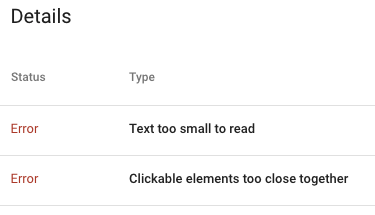
    Text On Page Too Small

    Virtually every site not developed in the past year gets this warning, and most recent sites do to. This is a tricky errror to pinpoint.

    The general guidline is that text on the page should be 16px or larger. If your CSS font size is always set as px, then the fix is pretty easy. Just find the font-size in the css and change anything less than 16px to 16px. Or is it that easy?

    Two issues arise with this.

    First, CSS font-size can, and often (should be) set with a relative measure (em for example). This was a cornerstone in responsive design. As the screen size shrinks, so does the font size. On mobile, this means it can be the equivalent of less than 16px. But, you won’t see that in the CSS. You have to use the inspect tool on Chrome and look at the rendered size.

    Second, even if you can go through your CSS and change the font-size to 16px or larger, are you sure it will play well with the design? There is a reason designers made fonts the size they did. If you just push up the size of some copy, then you impact the layout and proportions of the page. Does this still work?

    Clickable elements too close together

    We see clickable elements too close together most often on menus, but it can happen anywhere. Google wants there to be 48px of clickable area. The motivation is to improve accessibility for users.

    The most common fix for this is to add padding to the elements to expand them to the minimum size.

    The fix for this issue also has implications for design and rendering. The sites were originally created to look a certain way, and if we’re honest, designers rarely thought about clickable area. Simply adding padding to clickable areas may be an easy technical fix and put you in good position for Google, it may create a problm on your site.

    When looking at the scope of fixes need to meet Google’s Core Web Vitals, and the mobile test, you may find simple fixes are so simple. But, start with a staging area and make an initial round of changes. If the site rendering is acceptable, you can move forward. If not, you may need to reengage a design/front end developer to address the site design issues.

  • What are 2nd and 3rd Tier Links? Are They Important?

    What are 2nd and 3rd Tier Links? Are They Important?

    Link-building is an integral part of search engine optimization, and it does need to be done properly to avoid issues. However, there is more that can be done than just creating links that go back to the website. Links that go directly to the website are 1st tier links and, while they are valuable, 2nd and 3rd tier links can be an important part of a link-building campaign as well.

    What are 2nd and 3rd Tier Links?

    The 2nd tier links are any links that point back to the 1st tier links. The 3rd tier links, similarly, point to the 2nd tier links. While the 1st tier links are added in to create authority for the website they link to, the 2nd and 3rd tier links are used to add authority to the page that has the 1st tier links. So, website A has an article that points to the business website. The value of this link depends on how much authority website A has. The 2nd and 3rd tier links point to the article on website A, creating more authority for that website, which makes the link to the business website more effective for optimization.

    Benefits of Using These Links

    The 2nd and 3rd tier links have value beyond just adding authority to the 1st tier links. They can also help increase referral traffic and expand visibility. Any traffic that goes to the 2nd or 3rd tier link could end up on the 1st tier link and, from there, end up on the business website. On top of that, if the consumers see the link to the business website, even if they don’t click the link, it can help to increase brand awareness. Plus, having these links leading back to the business website can help increase consumer trust, which can lead to more sales in the future.

    How to Use These Links

    There are a few things website owners can do to use the 2nd and 3rd tier links more effectively. The first is to prioritize high-quality content. Websites with high-quality content have a higher authority, so those links are going to count more. It’s also a good idea to target the most successful 1st tier links with the 2nd and 3rd tier links, as this helps generate more traffic for them and, thus, more traffic for the business website. While it is important to have a variety of links, it is important to avoid using the same link too many times. By creating a number of 2nd and 3rd tier links, this can be avoided easier.

    While links are crucial for search engine optimization today, the type and quality of links can have a huge impact. Creating 2nd and 3rd tier links can help add authority to the 1st tier link, which can be beneficial for the website it links to and can help bring in more traffic. Learn more about these types of links today to start using them with your optimization plan, so you can get all of the benefits mentioned here.

  • What Is Link Building and Why Is It So Vital?

    What Is Link Building and Why Is It So Vital?

    While search engine optimization continues to be a vast ever-changing terrain, some constant components help website owners rise higher in rank. Although SEO strategies will continue to develop, there is still a keen focus on link building. Those who are new to SEO practices and seasoned veterans will all find this guide to offer the information they require, to create strategies that will propel them to higher levels of traffic and turnovers. 

    The Importance of Link Building Has Never Been So Paramount

    Before delving too deeply into the importance of link building, it is essential individuals first understand how a link is created and how search engine result pages view these links and categorize their importance. 

    Components of Links

    There are a few components search engines read when scanning a link. These parts are each important in their own way, allowing Google and other search engines to index a site appropriately. 

    The Beginning of the link tag

    The anchor tag is the beginning of the link tag. This anchor includes a message to the search engines that a website link is to follow. This tag also opens the link. 

    The link referral location

    A link first includes href, which stands for hyperlink referral. The text that resides within the quotation marks shows where the link points. The link does not have to be a website link. It could point to an image or a downloadable file. 

    The anchor text

    The anchor text is the only part of the link users will see on a website. This text is highlighted or formatted in a way that makes it stand out from other text on the page, letting users know it is a clickable link.

    The closure

    The closure alerts that this is the end of the link tag, so search engines know there are no further components to crawl in the link. 

    How Do Search Engines View and Use Links?

    There are a couple of key ways search engines use links. First, they will use the link to find new web pages that need to be crawled. Links also help search engines determine the quality of a web page, to determine its rank. 

    When a search engine is crawling a web page, they look at several factors to determine how it should be ranked. Although content is of prime importance, search engines also factor in the number of links from outside websites. The quality of the external websites is also a part of the ranking process.

    For the most part, websites that have many high-quality website pages are going to rank better on search engine result pages. Google started using linking to rank websites back in the 1990s, and their system has allowed them to dominate the search engine world and remain one of the most trusted search engines. 

    The Invention of PageRank

    Larry Page, one of Google’s founders, invented PageRank, and the search engine used it to help determine the quality of the website or page, based on the number of links pointing to the website. In the beginning, PageRank became a valuable tool that helped determine whether a website was an authoritarian on the subject. 

    Unfortunately, as with most things, people began learning to manipulate PageRank. When SEOs were found to be manipulating the system in mass, Google began regularly chugging out updates that were aimed to take care of those attempting to increase their rank using manipulative means. 

    Links Are Still Highly Important

    Despite some changes to Google’s secretive algorithms and constant updates meant to discover rank manipulators, link building remains an integral part of a website’s rank. Those who want to rise in rank on search engine result pages need to be aware of the steps involved in link building and how they will affect a website’s rank. 

    Important Steps Involved in Link Building

    Having the right link building strategy is integral for improving a website’s rank. Not only is link building an important part of any SEO plan, but it is also essential for drawing traffic to a website. Consider the following steps as a part of link building.

    1. It is imperative website owners know their audience. Website owners need to evaluate their current audience and the one they would like to obtain. 
    2. Making a list of the websites that appeal to your audience is important. These websites should be authoritative and offer stellar content. 
    3. Creating amazing and informative content will help with link building. Successful websites are more likely to link to other websites that offer superior content. 
    4. Once you have the best content, it is time to match the subjects with the list of websites you made. Reach out to each website owner that fits the topic of your content explicitly. If the content is authoritative and informative, websites will want to link to because your content adds value to theirs. Those visitors coming from linked websites are more likely to convert and become repeat visitors.

    Reaching out to website owners can seem intimidating at first, but it is the best way to start with link building. Ask website owners to write about your product or service. You can also ask to write a guest post blog for link building. Although by phone is the best method, you can also use email. Make sure to be informative, positive, and grateful for their time. 

    There are other methods you can use for link building. Many website owners use a combination of the following. 

    • Directory submission
    • Dofollow social media posts
    • Dofollow comments
    • Infographics 
    • Video content

    What Should You Look for in Linking Sources?

    Finding the right linking sources is critical. As stated above, Google is serious about rank. They did not get to the top of the search engine chain by allowing poor website content to reign. 

    Not only should a website have many websites pointing to it, they also need to be high-quality websites. There are three fundamental things you should look for when determining which websites to seek for linking. 

    • The website should be an expert on the topic. 
    • The website should be considered an authoritarian on the subject. 
    • The website should be trustworthy. 

    The more authoritative a website, the more weight its links will carry. Before contacting any website owners, research is critical. Checking the websites for their content, rank, and following will help you determine if the website will add value to your site and improve its rank. You should be very picky regarding which websites you choose for linking. 

    What Are the Benefits of Link Building?

    Link building is a complicated subject. Once a person feels they have grasped the subject, search engines change their rules, and website owners must scramble to keep up with the changes. Despite the many changes over the years, link building remains a key aspect of SEO practices. The following offers insight into the benefits of link building. 

    • Increased visibility for your blog or website
    • An influx of traffic from other websites pointing to yours
    • Increased rank in search engine result pages
    • Reduction of time to index your site
    • Increased chance of your website being considered an authoritative source

    Discover Your Link Profile

    Your link profile is not only about the number of websites pointing back to your website, but also involves their quality. To assess your link profile appropriately takes a concerted effort and a careful eye. 

    Remember that search engines like Google use links to understand how your website relates to others. Aside from the following considerations, many tools can test your link profile, so you can make beneficial changes as needed.

    • How many websites are pointing to yours?
    • Are the websites diverse?
    • What is the quality level of each website?

    Evaluating your link profile regularly is critical for SEO. There is always room for improvement and growth with any profile. By improving your link profile, you can increase brand awareness and see a better conversion rate. 

    If you are concerned about your link profile, start taking action now. It will take time to improve your profile, but hard work pays off in the end. 

    Bottom Line

    If you are new to link building, this guide should provide you with the basics. It can be difficult to stay abreast of the latest rules regarding link building, but the landscape seems mostly unchanged as of now.

    It is important to remember that you should never attempt to begin link building without having something of value to link. Why should any website owner want to link to your website? Think about this question and ensure you can answer truthfully. 

    It will take time to go through the process of link building, and you can never say it is finished. Highly ranked websites consistently look for new link building strategies, and you should too. 

    With this guide, you should be well on your way to better understanding the principles of link building. Knowing how link building benefits a website makes gathering links more enticing. Get started now and soon see results.

  • What Are Core Web Vitals & Why Are They Important?

    What Are Core Web Vitals & Why Are They Important?

    Google is always updating its search algorithms, but it’s rare for the company to publish information about what data they use to determine search engine page rankings (SERPs). This year, the industry giant publicly announced a new ranking factor: Core Web Vitals. 

    The decision to make this information public begs two important questions: what are Core Web Vitals, and why are they so important? Web developers can read on to find out what they need to know.

    What Are Core Web Vitals?

    Google’s Web Vitals initiative is intended to simplify webmasters’ interactions with Page Experience metrics. Instead of playing guessing games about how their pages are performing according to these metrics, site owners can now use Google tools to get a better understanding of the most important metrics. Those are the ones the company refers to as Core Web Vitals.

    Each Core Web Vital can be viewed as a stand-in for a measurable aspect of real-world user experience. It’s joining other Page Experience signals such as HTTPS, mobile-friendliness, and intrusive interstitials to give web designers one more benchmark for success.

    Evolving Metrics

    These new Page Experience metrics are already incorporated into the suite of Google Analytics tools, but it’s just the beginning. Google only recently developed the Web Vitals interface, and the company plans to make changes over time. In 2020, Core Web Vitals focus only on three key factors affecting user experience. In 2021, the company plans to roll out more changes.

    What Are the Most Important Core Web Vitals for 2021?

    There are three essential Core Web Vitals metrics for 2020. They measure overall load performance, interactivity, and visual stability. Web designers can use Google tools to evaluate their progress toward recommended targets for each of these metrics. For now, aiming for the 75th percentile is a good goal for most site owners.

    Largest Contentful Paint

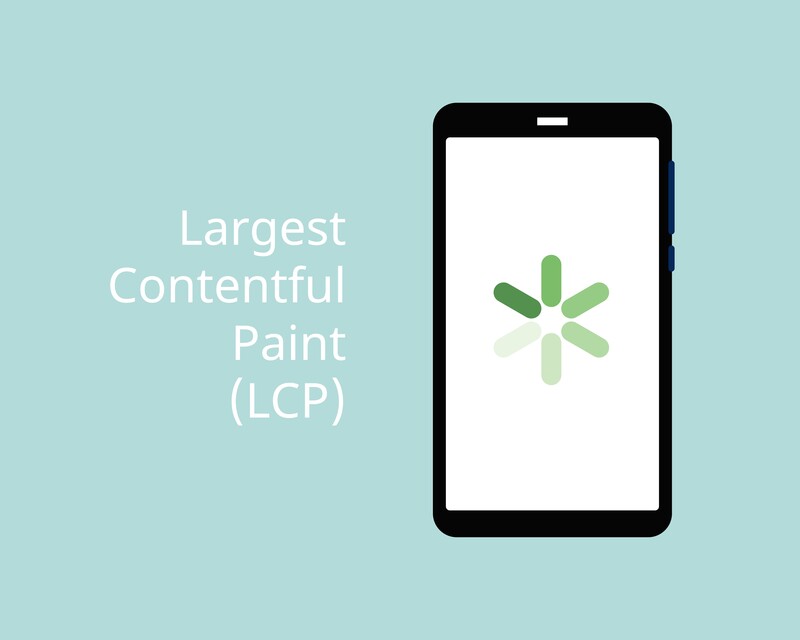
    The Largest Contentful Paint (LCP) Core Web Vital measures loading performance. This metric should come as no surprise to experienced web designers since it’s common knowledge in the industry that load times affect user experience. 

    In 2020, pages with 2.5 second or faster loading times are considered to be performing well in this arena. Pages that take 2.5 to 4 seconds to load need improvement. If the page takes longer than 4 seconds to load, it will perform poorly according to this metric.

    First Input Delay

    First Input Delay (FID) offers a measurement of a page’s interactivity. When page visitors click on buttons or JavaScript events, the browser starts to process the interaction and produce appropriate results. FID can also be viewed as a measure of how fast the browser can do that.

    Aim for an FID of 100 ms or less. If a page has an FID of 100 to 300 ms, it needs improvement. At 300 ms or less, it needs serious help. Factors like the quality of JavaScript and third-party code can influence FID.

    Cumulative Layout Shift

    The Cumulative Layout Shift (CLS) Core Web Vital measures visual stability. It answers the question, how fast are the page’s stable speeds? If a page loads quickly, but users can’t click on buttons or follow links without causing unexpected shifts in the page layout, that’s a problem with CLS.

    The top factor influencing CLS is image size definition. Animations and other on-page content can also affect the page’s visual stability. A well-designed page with all its image sizes and animations defined in HTML should have a CLS of 0.1 or less. Pages with a CLS between 0.1 and 0.25 need improvement. A CLS higher than 0.25 will cause poor SERP performance.

    Why Are Core Web Vitals Important?

    Core Web Vitals will influence all search results on Google. They’re also going to play a large role in determining what pages appear in Google Top Stories, the news results that users sometimes see at the top of their results pages.

    Until now, AMP was the most important requirement for Google Top Stories. That’s going away. Pages will still need to meet the search engine’s requirements for inclusion into Google News. However, instead of AMP, the pages will now need to meet the minimum thresholds for Web Vitals described above.

    How Important Are Core Web Vitals for SERPs?

    When it comes to SERPs, Google’s algorithms feature hundreds of ranking signals. Poor performance in Core Web Vitals can make a difference, especially since they have an outsized influence compared to other ranking signals. 

    That said, Core Web Vital performance isn’t the only factor that will determine rankings. The difference will be most noticeable for websites that already exist in competitive environments.

    User Experience

    Since Core Web Vitals were designed to quantify Page Experience, they also impact other factors such as click-through rates. Google has performed studies that show how influential these aspects of Page Experience are on user behavior. According to the search engine itself, meeting the thresholds for Core Web Vitals performance makes users 24% less likely to abandon pages.

    How to Measure Core Web Vitals

    One of the stated purposes of the shift to Core Web Vitals is to make it easier for site owners and web designers to measure performance. As a result, Google has already integrated analytic tools to measure Core Web Vital performance into just about every analytics tool it has. Many third-party companies have also followed suit.

    Field Tools

    Site owners can use field tools to measure performance. The Chrome User Experience Report is a good place to start. It collects real user data for each signal, removes sensitive user data, and collates it so that site owners can assess real-time performance. Google’s PageSpeed Insights and Search Console tools can also measure all three current Core Web Vitals.

    JavaScript Measurements

    It’s easy to measure Core Web Vitals in JavaScript. Use the web-vitals JavaScript library to measure performance using standard web APIs. This approach lets web developers measure performance and thresholds accurately by simply calling a single function.

    Site owners can also view performance reports without writing code by using the Web Vitals Chrome Extension. The Chrome Extension leverages the web-vitals library to measure key metrics and display them right in the browser. Developers can even measure competitors’ metrics for all three Core Web Vitals.

    Lab Metrics

    Web developers also have access to two tools that can help site owners measure Core Web Vital performance in lab environments. This allows site owners to test their pages before releasing them and catch potential performance regressions in advance. Both Chrome DevTools and Lighthouse can measure LCP and CLS. 

    There is currently no way to measure FID in the lab since FID requires user input. However, it is possible to measure Total Blocking Time (TBT). In the pre-release development stages, TBT forms an excellent proxy for FID. Optimizing TBT should also improve FID.

    How to Improve Performance

    The tools described above help site owners get an idea of what pages are performing well and which have room for improvement. Once they’ve identified problem areas, site owners or web developers can get started optimizing their pages.

    Optimizing LCP

    There are four primary issues that cause poor LCP performance. They are:

    1. Slow server responses
    2. Render-blocking CSS and JavaScript
    3. Slow resource loading
    4. Problems with client-side rendering

    Resolving these problems should bring most pages back up above the threshold for LCP performance. Developers can optimize servers, route users to different CDNs, cache assets, change how they serve HTML pages, and establish earlier third-party connections.

    Optimizing FID

    When it comes to poor FID performance, the primary culprit is heavy JavaScript execution. Web developers should focus on optimizing JavaScript to ensure that browsers can respond to user input with sufficient speed. Since JavaScript is executed on the main thread, heavy code will prevent browsers from handling user interactions.

    There are four ways to improve JavaScript for FID optimization. Developers can break up longer tasks, use web workers, reduce execution times, and optimize pages for interaction-readiness. When lab-testing the results, bear in mind that TBT can be used as an effective proxy for FID.

    Optimizing CLS

    Most poor CLS performance is caused by images or embeds that lack defined dimensions. Start by fixing this problem before moving on to addressing other problems. These could include dynamically injected content, Web Fonts that cause FOIT/FOUT, or actions that require network responses prior to updating DOM.

    Resolving these problems will ensure that layout shifts will only occur when they are expected. Improving CLS performance to bring the page above the threshold will improve its Core Web Vital scores, especially if these changes are made in conjunction with optimizing FID and LCP.

    Final Thoughts on Core Web Vitals

    Site owners and web developers who have found themselves frustrated by Google’s lack of transparency in the past should be happy to learn about the switch to Core Web Vitals. Expect these metrics to play an outsized role in Google Top Stories performance and a more moderate role in SERP performance, more generally. 

    Developers should also expect these metrics to evolve over time as Google continues to implement additional changes. The good news is, the company has indicated that it will continue to keep developers and site owners in the loop as this happens.

  • Brand Voice vs SEO

    Brand Voice vs SEO

    Companies spend a lot of money developing their brand. From image to terminology, brands want to control how they are viewed. This is important and must be taken into account through the marketing communications efforts.

    SEO Keyword Selection

    When developing content for the website, and especially when creating content for the blog, SEO considerations must be high on the list. This can be a challenge for many in mark com.

    Brands try to make their product unique within the market. This makes sense and can pay off as buyers move along the purchase process; they see a distinction from the competition.

    As consumers start the purchase process, they don’t yet know the brand attributes. Instead, they search for products or services using more general terms or industry terminology. These are top of the funnel terms.

    Top of the Funnel Keywords

    This means brands need to develop site content and blog content that is targeting the full length of the purchase funnel.

    To be part of the final consideration set, a product or service has to first get the consumers’ attention at the top of the funnel. Doing this means sounding like all the rest in at least a portion of the content published on the website or blog.

    It may mean swallowing some brand pride, but if you want to get to the consderation set, you need to use terms that are commonly searched for among the target market at the top of the purchase funnel.